Three steps, a few minutes. After that, you won't need this documentation: your management agent does the rest.
1. Create your account
- Go to www.molted.net/signup and pick your region: Europe or North America. Your account, your instances and their data live in that region. See Regions and data location.
- Enter your email address and open the link we send you. There is no password.
- Add a passkey when asked (Face ID, Touch ID, Windows Hello or a security key). Next time you sign in with the passkey or with a new email link.
Always sign in on your region's dashboard: https://eu1.molted.net for Europe, https://na1.molted.net for
North America.
2. Add credit
Self-serve accounts are prepaid. Open Billing, choose an amount and pay by card. There is no subscription: each instance is charged per day for the time it exists, and tools are charged as they are used.
Your first Mue agent on Small or Large gets its first 5 days of hosting credited to your wallet. See Prepaid wallet.
3. Open your management agent and ask
Click the round button at the bottom right of your dashboard. It opens your management agent, the assistant that runs your account. The first time, it takes about a minute to start, and it asks whether to connect your Claude or ChatGPT subscription (you can skip it: it then runs on Molted Flash).
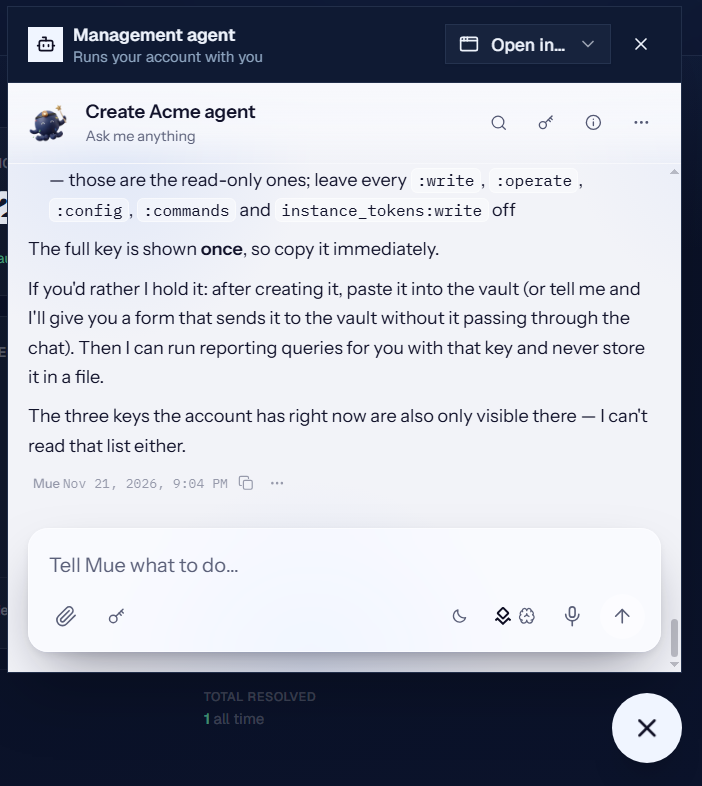
Then ask, in your own words:
It shows you the cost, waits for your "yes", creates the agent and gives you the link to open it. Talk to your new agent and tell it what you want it to do for you: "every morning at 8, send me a summary of my unread emails", "build me a page to track my clients", "watch this website and tell me when the price drops".
More ideas: What to ask your management agent.
Prefer to click?
You can do everything yourself in the dashboard. Open Instances, then Create an instance:
- Name and location. A short name. It becomes part of the agent's address.
- Runtime. Pick Mue. See Choose a runtime for Hermes.
- Model. Molted Flash works right away with no account; a Claude account or ChatGPT account runs the agent on your own subscription. See AI models.
- Size. Small ($2.88 a month) is enough for a first agent. See Sizes.
- Review and create. Your agent is online a few seconds later.
When the agent needs one of your accounts (Gmail, Google Calendar, Notion…) it shows a Connect button: see Connected apps. When it needs a password or an API key, it asks you to put it in the secrets vault, never in the chat.
For developers
Create an API key under Developers → API Keys and give the agent on your computer (Claude Code, Codex…) the API overview. The Getting started page of the dashboard has a ready-made prompt.
Good to know
- An instance keeps running when you close the dashboard. Stopping it costs 10 times less than running it, and keeps its files. See Sizes, resizing and stopping.
- Self-serve accounts start with a limit of 3 instances. Ask us if you need more.
- Instances have no GPU, and port 25 (SMTP) is closed. See Network.