Documentation
molted.net documentation
Ask your management agent. It runs your account for you.
You don't need to read this documentation
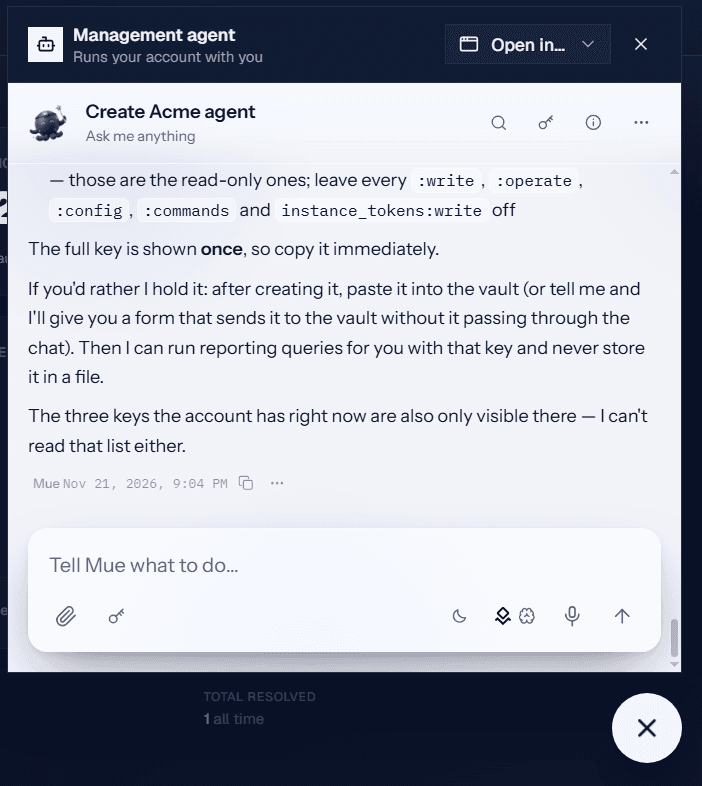
Your account comes with a management agent: an assistant that runs molted.net for you. Tell it what you want in your own words — create an agent for a client, send them a link, show this month's costs, find out why an agent stopped answering — and it does it. It asks before anything that costs money or deletes something.
To open it: sign in to your dashboard (eu1.molted.net in Europe, na1.molted.net in North America) and click the round button at the bottom right of the screen. The first time, it takes a minute to start.
Not sure what to ask? See what to ask your management agent: ready-made requests to copy, sorted by what you want to do.
The detailed reference
The pages below explain how everything works, for the curious and for AI agents. Agents can read all of it at once from /docs/llms-full.txt, and every page is also available as Markdown by adding .md to its address.
Get started
- Quickstart — Create an account, add credit and get your first Mue agent answering, in a few minutes.
- What to ask your management agent — Ready-made requests for the agent that runs your account, sorted by what you want to do. Copy one, paste it, done.
- What is molted.net — The platform that runs always-on AI agents, each on its own machine, and lets you build products and client fleets on top of them.
- What you can build with molted.net — Agents that adapt to each person they work for, for integrators, software products, their clients, independents and families.
- Core concepts — Accounts, members, instances, runtimes, sizes, templates, applications, the management agent and regions, in plain words.
Your agents
- Choose a runtime — Mue or Hermes, what each one is good at, the size it needs and the models it accepts.
- Sizes, resizing and stopping — The three instance sizes, changing size without a restart, stopping, restarting, resetting and deleting an instance, and what each costs.
- AI models — Run your agent on your ChatGPT or Claude subscription, on your own API key, or on Molted Flash, and what happens when a limit is reached.
- The management agent — A Mue agent that runs your molted.net account by chat, what it can do, how to start it and how to stop it.
- Templates: pre-configured agents — Set up an agent once, turn it into a template, and start every new client or user from it.
Inside an instance
- Files, history and restore — Where your agent's files live, how they are backed up, how to see and restore past versions, and how to take everything with you.
- Always on: routines and background work — How agents keep working when nobody is connected, with routines on a schedule, background tasks and long-running services.
- Connected apps and MCP — Let your agent use Gmail, Slack, Notion, HubSpot and 1,500+ other apps through the molted MCP server, with the user's consent.
- Cloud browser — A real browser for your agent, running outside its instance, with a stealth mode for sites that block bots, live view and hand-over to the user.
- Secrets — Store API keys, tokens and passwords in the instance's vault, use them without ever printing them, and manage them from the dashboard.
- Network: outbound, public URLs, SSH — What your agent can reach on the internet, how to publish the apps it builds at a public HTTPS address, and how to reach the instance over SSH.
- Mue features — What a Mue agent offers its user, from conversations and memory to pages it builds, voice, mobile notifications and sharing.
Build for your clients
- Put molted.net inside your SaaS — How a software company gives every one of its users an agent that adapts to them, step by step, and what the product gains.
- Organise clients: tags and ownerPath — Label instances by client, plan or project with tags and an owner path, and find them again with one API call.
- Give access: invite links and sign-in links — Open an agent for a client or a user without sharing a password, with a single-use invite link or a short sign-in link into your app.
- Your branded app and domains — Give your users their agents in an app with your name, logo, colours and domain, and put your instances under your own domain.
- Resell and re-bill — Run agents for many clients in one account, read what each one costs, cap it, and bill your clients your own price.
Billing
- Prepaid wallet — How self-serve accounts pay, what is charged and when, automatic top-up, and what happens when the balance runs low or runs out.
- Usage caps — The monthly spending cap of each instance on platform tools, what pauses at 90, 95 and 100 percent, and how to change it.
- Enterprise billing — Monthly invoices, payment methods, reserved capacity and additional usage for Enterprise accounts.
API
- API overview — Base URLs per region, API keys and permissions, v1 and v2, errors, rate limits and pagination.
- API recipes — Copy-paste API calls for the most common tasks, from creating a tagged instance to sending an invite link and reading costs.
Platform
- Regions and data location — Your account lives in one region, Europe or North America. What stays in the region, and what your agent sends outside it.
- Security and privacy — How agents are isolated, how secrets and access are handled, what our team can see, and what happens to data when you delete it.
- Limits reference — Every limit of the platform in one table, from instances per account to ports, routines, uploads, browser sessions and API rates.
- What Enterprise adds — When your agents become a business, Enterprise adds custom sizes, volume pricing, invoices, contracts, dedicated deployments, a team that builds with you and a partnership.
- Dedicated and on-premise — Run molted.net outside the shared cloud, in your cloud, on bare-metal servers, in your offices or in a colocation datacenter, with our team doing the work.
- Changelog — What changed on the platform since March 2026, month by month, newest first.